Apparently there is a site called Giveaway of the day, and apparently it�s frequented by many. I'm not sure how much joy Aussies or Kiwis will get out of this site given that by the time we wake there will only be a few hours left to download the "giveaway", but I still thought it was worth passng on. I don�t normally bother with this shit stuff but I can see some use in RSS-ing the link. Today the Free Giveaway is an application called True Launch Bar:
True Launch Bar is an ultimate experience of a manageable file system. It gets the best of MS Windows OS and streamlines it for greater comfort of use. Its unique system of switching toolbars and expandable menus gives instant access to files, applications, and settings from the taskbar. In addition, overlay images and skins give system polish and slick looks.
True Launch Bar is a superior replacement for the standard Quick Launch bar. All functions presented in Quick Launch are also in True Launch Bar. However, the True Launch Bar is fully compatible with Quick Launch because it uses the same folder for shortcuts.
But there is one huge difference. True Launch Bar allows you to combine your shortcuts into groups. This feature looks like popup menus. This vastly improves the management of your shortcuts and save working space on your desktop.
By using True Launch Bar, you speed up the launching of your applications like never before.
I for one have downloaded it as it appears to be very UMPC friendly! Thanks James Kendrick for the heads up. Itg was interesting to note that GottaBeMobile even ran with the story.
*Update 16.01.2007.* The Soft Keyboard can in fact be enlarged; Silly Me didn't even try I guess! LOL. Another update which becomes relevant to the Tablet PC Space is that within the Panasonic menu the screen can be setup to rotate upon physical rotation of the screen; therefore the rotation button becomes an additional rotation hotkey, while the screen itself will initiate the rotation on its own. That�s nice for Pen users.
Normally I report on the latest and greatest from the Tablet PC space, however today I want to share with you a rather different experience, a Tough Experience I had. On many occasions there is the smell of brand new enamel paint dripping off of alloy encrusted PCB; usually these same smoldering units carry the sex appeal that Generation X or Y are looking for, and the price tag to match. The last 10 days however I have been graced by something very different.
10 Days ago Panasonic delivered me the CF-18 Tablet PC as part of their Toughbook range. If you�ve never owned or played with a Toughbook it may interest to you that it�s actually a rather nice machine in both look and feel. At first glance there are all the features you would expect from a manufacturer targeting Military and Utilities as its main audience; there are exposed screw heads, rubber mounts, latches, panels and more brushed alloy than a Hummer (well almost).
My first stumbling block was reached very quickly. Being Australia�s Tablet Guy I wasn�t so much interested in its ruggedisation as I was its Tablet PC features. As I placed my hand on the top of the screen and went to snap the screen into Tablet mode � still not sure if it was left or right I should be pushing � I found that the screen would not budge. It turns out this was to be my first rugged experience. You see, to turn the screen one needs to physically hit a release latch to unlock the swivel mechanism for it to go into Tablet mode. Although at first glance I didn�t think much of this feature it does make a lot of sense; given that I am very prone to picking up my convertibles from their screen having the screen locked gave this unit a lot more rigidity and firmness than other convertibles.
So now it was time to play with the pen. To my horror the device Panasonic had shipped me sported a resistive touchcreen, and not an active digitizer as I had assumed. In total ignorant bliss I hadn�t even realized that Panasonic have two flavours of these beasts. The CF-18, the device I held, is Panasonic�s 10.4� which actually ships with an optional Digitizer Screen and Active Pen.
Upon exploration of the All Programs menu I stumbled across an application named the Panasonic Inking Utility. Not only was I able to write using a dummy pen directly on the screen, but what I found most amusing, but not very functional, was that the mouse pad found on the base of the keyboard actually had a pen mode too! By taking the stylus I could literally write straight onto the mouse pad as I would on the screen. The inking utility even allowed for this behavior specifically via a toggle button that told the Toughbook whether I was writing on the screen or on the mouse pad. Again, I couldn�t see the real purpose (anone???) but I did find it intriguing to say the least.
Now that I could rotate the screen, and take some notes, it was time to lock the device in tablet mode so I could become more mobile. Being a rugged machine the CF-18 had an awesome flip-latch to mechanically lock the screen down. With a closing movement akin to that of a mechanics toolbox the latch lifts up, over, and locks heavily down on its base to give the Tablet mode of the this notebook a more permanent place. Now I wouldn�t like to see this incorporated into something like the new Toshiba R400 but it was by far the best locking mechanism I had been exposed to. Given the alarming trend notebooks shipping notebooks without any lock mechanism at all (like the Kohjinsha SA1 UMPC and my free ACER Ferrari 1000 - yes I got one too) I found this rudimentary technology a welcome return.
Now it was time to explore I/O ports and Expansion slots. Starting from the front initial investigation would reveal and array of non-programmable hotkeys. Working from left to right there was the screen brightness up/down button, then the soft keyboard launcher, then a user log off button, and a screen rotate button that supported 360 degree rotate, and finally the Control Alt Delete button which allowed a user to log in or call up of the Task Manager too. The buttons were very responsive and had rather nice recessed feel so that a user frequenting the CF-18 might even learn to navigate these with the use of touch only. One major let down, exacerbated by the lack of Windows XP Tablet Edition, was the soft keyboard. Not only was this keyboard not resizable but it had less function than that of a very basic PDA (and about the same size I might add).
Deciding to work my way around the device clockwise I remained in Tablet mode and found myself with the first indication of how manufacturers obtain an IP (Ingress Protection) Rating. What is an IP Rating you might ask?
An IP Rating is often used when specifying the environmental protection afforded by enclosures around electronic equipment. These ratings refer to specific tests and each test is awarded a specific rating via an IP Number. The IP number is made up of two components as follows: for e.g. In IP44 the first number refers to the protection against solid objects and the second against liquids. The higher the number the better the protection.
It turns out that the Panasonic CF-18 Toughbook has an IP Rating of IP54, which is considered very high. The CF-18 has successfully obtained it via an array of very tightly sealed flaps, or hard-plastic doors if you like, that conceal ports and slots. My first glance at the right hand side would reveal an AC port, 2 USB ports, an Ethernet and a Modem port, and no less than two PCMCIA slots. So when you consider what�s behind these hard-plastic doors you begin to realize just how well they do their job.
In case you are interested the number that follows the IP Rating is broken into two components. In this case, IP54, looks something like this:
(5) Protected against dust, limited ingress (no harmful deposit)
(4) Protection against water sprayed from all directions - limited ingress permitted
Let�s keep working our way clockwise shall we?
Looking at the back of the device we find, once again hidden behind the IP Rated doors, access to an SD Card Slot, a VGA Out Port, and a seldom found Serial Port. Given the target audience of these device is Telecommunications Companies and the Military the serial port was an obvious inclusion for work with Cisco gear, and more.
Finally one more clockwise movement and we find the battery chamber and the hard drive chamber. For those of you unfamiliar with Ruggedisation it�s important to note that most of the Intellectual Property that surrounds this technology can be found in the later, i.e. the Hard Drive chamber. Because the spinning platters of a standard 2.5� hard drive do not like sudden jolts or movements then the Hard Drive chamber of a rugged notebook is where you will find most reggedization occurs. Panasonic terms this the �Shock mounted removable hard drive in stainless steel casing.�
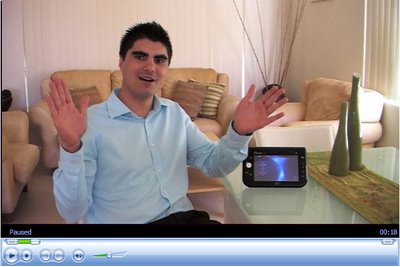
For your convenience I have shot a small video of the enclosure to give you a closer look. Silly me forgot I was holding a CF-18 so when I mention CF-19 just replace it - in your clever little heads - with CF-18. LOL.
The CF-18 has one more definable feature in that it is 100% fanless. With dust protection such an integral part of the IP Rating process the fact that this notebook can operate without a fan makes its ruggedisation even more successful. Panasonic has gone to great lengths to protect its Intellectual Property surrounding this feature, and no matter how hard I tried, the representative from their office was as tight lipped as the hard-plastic doors protecting the USB ports on the device. Even more remarkable is that the successor to the CF-18, the CF-19, deliverable in February 2007, will in fact sport an Intel Dual Core Processor while still remaining fanless. Well done Panasonic.
Overall I was pleased with the device and its intended use. Ruggedisation is something that will become more popular in the mainstream as devices like Ultra-Mobile PC and Tablet PC become more mobile, i.e. full day usage. Because end-users will look at taking UMPC on extreme sports outings, and even as a travel mate, ruggedisation is going to become a key factor. Given that TabletKiosk launched its first entry into the Tough Tablet market via the ToughTab 7� UMPC this week at CES 2007 it�s not hard to see that I am right. Many corporate and enterprise folks favour ruggedisation as a form of future proofing their dollars and one can only expect that mum-and-dad consumers will do the same in the not too distant future.
I hope you�ve enjoyed this deep dive into Panasonic�s Toughbook CF-18. If there�s any questions you have or anything in particular you want to see this year on the UberTablet Blog just let me know�it�s your resource!
An Aussie recently asked me if I had tried the Vega Navigation System, to which I promptly reply �what are you talking about mate!� He pointed me to this site and got me thinking a lot about the potential of such a beast.
I then contacted Raon Digital (who are an awesome bunch) and asked for one�and look what FedEX brought me shortly after; shortly after paying a shocking amount of duties and taxes that is.
SO what�s in the box?
Suction mount for the window
Bracket to hold the little 4.3� Vega
Extension cable for Audio and AC (cool)
The Vega �Navi� USB GPS module! Nice
So let me head off and find my way around town�the Vega way!!! Keep you all posted in the next few days. For those of you not sure of what a Vega is make sure you look at the Vega 512 specifications (Australian Site).
My English speaking mate, Chippy, who resides in Germany, has got a first look at the 7" Convertible notebook named Kohjinsha! What I found fun to watch about this video was the shear excitement coming from Chippy as he glanced into the box and spotted the new device staring back at him.
Grab some popcorn and watch less than 10 minutes of one grown man acting like one very excited little child...
*Update 13th of January 6am* TO see the new Origami Touch Pack in action just play this video below. I think you'll be pleasantly surprised with th UI improvements, and even more excited about your nextGEN UMPC.
As it turns out I wasn't the only one supplying this feedback as Microsoft has heeded our concerns and is working on a new Touch Pack�for Vista. If you don�t want to look at the video my point was this, the Touch pack had no depth and lacked any real function.
It seems that one of the prerequisites of this new Touch Pack will be that you are running Windows Vista on your Ultra-Mobile PC of choice. This is probably a good thing and will force manufacturers such as ASUS, Samsung and more to develop better Vistagami (as they were quickly dubbed).
I�ve been carrying on a several threads with the developer of one of my favorite pieces of software, CastBlaster. His name is Mike Versteeg and he is a very clever man � and now even more so since he�s moved into the world of Ultra-Mobile PC. After several Q & A sessions Mike has recently settled on the EO i7210 as the UMPC of choice. His first attempt at a UMPC initiated CastBlaster Podcast can be found here, and is exceptionally good quality. It was recorded unaided (other than the EO itself) and even Mike was pleasantly surprised. I particularly like Mike�s concept for this site, test 123. Here is his explanation:
Show description:Mike Versteeg is software engineer and developer of programs like CastBlaster and WinPodder. Most of the development time goes into testing. Testing123 is a brief glance into these many hours of testing.. Expect to see and hear totally uninteresting audio and video material made during the creation of project like CastBlaster Pro and CastBlaster Video.
Dr. Neil and I have been using Castblaster for our joint Podcasts hosted by Dr. Neil�s Notes. We found it to be versatile and flexible enough to rip even the most �casual� podcast online! One thing that bugged us was CastBlaster�s poor ability to sit on a UMPC; we mentioned it on Show #21 and got Mike�s attention very quickly. Mike was always intended to make this happen but perhaps our global call-out helped.
Sitting back at basecamp (Sydney) I couldn�t help but think that CES in Las Vegas was a success, at least for Tablet enthusiasts that is. What I mean by this is that there were no major revelations, or developments in the UMPC platform, and that to me is a positive experience. Let me explain why!
I feel that we are almost always putting a R.I.P inscription on all newly released products immediately out f the box. As soon as a blogger posts the �first look� at anything, like this, or this, someone leaves a comment like �when is the NextGen coming��give me a break. Surely we all like the latest and greatest toys, but shouldn�t we spend a minute and get to know what is available before we right it off in the hope of achieving Nerdvana (read this blog).
So with all that in mind, I declare less UMPC a good thing; why, because now we can get to the know the existing form factor just a little longer, and put away the 7� coffin we ordered! Having said all this, there were several new releases like the TabletKiosk �Tough Tab� and the �Sahara Slate i440.� I also liked James Kendrick with this cheesy look at the HP TX 1000! (I thought I had the market on cheesy photos James!) You can also see it on CNETTV.
As the show progressed it looked as though the biggest story unfolding was the OQO 02. I liked this video from Engadget that seemed to be first in, but I also like this video from CNETTV. The sweetest thing about the OQO was the Dock!!! Look here. Speaking of docks it was the Toshiba that stole the show with a wireless, yes, wireless, USB 2.0 solution on the new convertible R400. Take a look at it here, and here. It beckons me to ask the �true� connection speed between the dock and the Toshi, as I still can�t get 480Mbps out of my cabled USB 2.0 stuff�LOL.
The last reference I�ll leave you with is this webcam, and it�s not porn! It was setup by the first family of Tablet PC, The Heinys, and aimed at the crowd gathered in the good name of Tablet PC at Cheesburger Las Vegas. Because I wasn�t there, and hopefully I was missed, I will give you an excerpt from an emotive Warner Crocker:
This entire evening would be possible without the work of the First Lady of The First Family of Tablet PCs, Lora Heiny, so everyone owes her a big thank you. And speaking of the First Family, it was great to meet Robert and Joan Heiny, the folks responsbile for all those Heinys, and although Loren wasn�t there, he and his brother Layne, who was in attendance, hooked up a webcam and streamed the event live. (You can check it out here.)
I have enjoyed following the event and receiving emails from attendees there. Thank you everyone involved and everyone posting from the CES show, including my little infamous Long Zheng! I hope I have contributed to those of you that weren�t there by sharing my experience as I saw it unfold. There are obviously many omissions but it is bed time and I will talk with you soon! I�ve missed you guys but I promise to provide with the best year ever of Tablet PC related commentary from Australia!!! Talk to you later�Hugo Ortega.
PS. If you want to hear something really fun out of CES then listen to James Kendrick (Houston), Matt Miller (Seattle) and Kevin C. Tofel (Philadelphia) in the latest edition of their Mobile Tech Roundup: CLICK HERE and listen directly.MoTR 85 is 21:18 minutes long and is a 7.3 MB file in MP3 format. to download the file.

 True Launch Bar is an ultimate experience of a manageable file system. It gets the best of MS Windows OS and streamlines it for greater comfort of use. Its unique system of switching toolbars and expandable menus gives instant access to files, applications, and settings from the taskbar. In addition, overlay images and skins give system polish and slick looks.